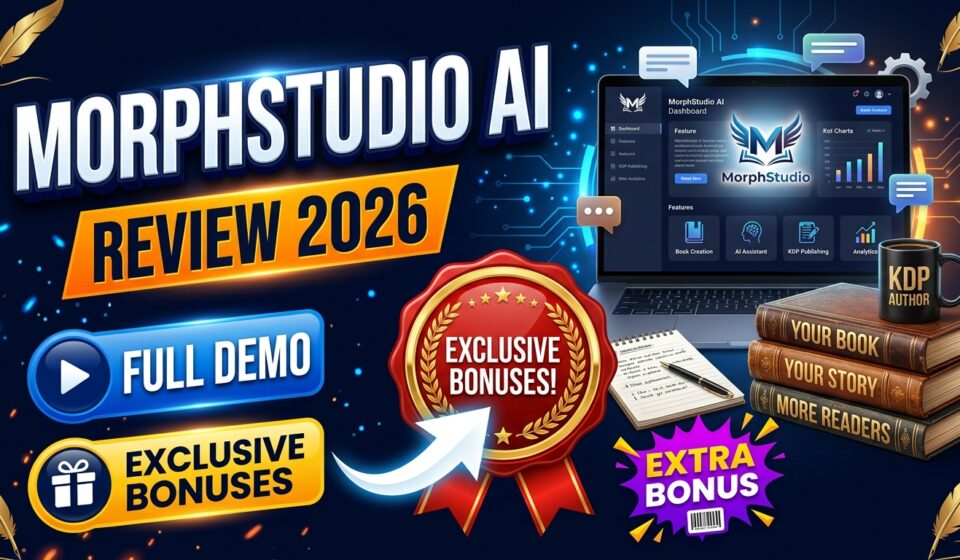

JVZoo and WarriorPlus launches are full of “one photo becomes a full production” pitches, and most of them promise more on the sales page than they deliver in the actual dashboard. MorphStudio AI follows that same pattern: upload a photo, add a script or voice recording, and get back a talking-head video with lip-sync, blinking, and hand gestures — supposedly ready to post or hand off to a client.
This review is based on the vendor’s sales materials for the September 26, 2026 launch, the product’s own site and legal pages, and actual hands-on time in the dashboard — not just the sales copy.
MorphStudio AI is sold under its own brand name with no named founder or company listed anywhere in the documentation, site, or terms — so there’s no personal track record to weigh the marketing claims against, just the product itself.
⭐ Click Here to Get MorphStudio AI at the Best Available Price →
How to purchase it
There are two distinct ways to get started, and each leads to a noticeably different starting point, so it’s worth understanding both before looking at what the software actually does.
Buying piece by piece: The Front End — MorphStudio AI Commercial — is a one-time $37 payment that includes 3,000 generation credits, 10 languages, 10 built-in voices, 720p export, a 2-minute cap per video, and a commercial license from day one. After that, four separate upsells are offered one at a time, each optional:
- Pro ($67): expands to 70+ languages, adds 20 more voices (30 total), adds an ElevenLabs voice-import option, bumps export to full 1080p, adds priority rendering, removes the 2-minute cap, and adds 6,000 more credits.
- Creative Suite ($67): a bundle of AI writing tools for YouTube, TikTok, Instagram, and Facebook — scripts, hooks, captions, ad copy — plus a library of 2,000+ done-for-you scripts and CTAs.
- DFY Avatars Collection ($97): 300+ pre-made avatar characters across 20 categories (business, medical, legal, real estate, podcast-host styles) for anyone who doesn’t want to use their own or a client’s face.
- Agency Upgrade: pricing is inconsistent in the vendor’s own documentation ($247 in one place, $297 in another), so treat it as unconfirmed until launch. It includes resale rights, licensing for up to 50 client accounts, and done-for-you agency sales materials.
Buying the bundle: A $297 Bundle Deal skips the Front End and wraps several upsells into one checkout, and Bundle buyers unlock an additional Bundle-only upgrade — the Mega Bundle — for $197.
What It Actually Does
Stripped of the launch language, the product comes down to four core pieces. The Avatar Engine locks in a face — yours, a client’s, or one from the built-in library — as the lip-sync presenter. The Voice and Script Studio handles the spoken content, from a typed script or uploaded audio, in whichever voices and languages your tier unlocks. The Performance Director is marketed as controlling tone, expression, and delivery through simple text prompts, with no animation skills required. The Render and Project Manager is the workspace for organizing, downloading, and tracking finished videos — 720p on the Front End, 1080p on Pro.
There’s also a separate Creative Suite content library — 27 short-form AI writing tools covering product descriptions, blog outlines, captions, scripts, titles, and ad copy across platforms. It’s genuinely distinct from the avatar/voice tools and built to supply the content around the video, not just the video itself.
Realistically, this fits product demos, short explainers, social presenter content, course intros, and client-facing sales videos for freelancers and small agencies — mostly short-form content anyway, so the Front End’s 2-minute cap isn’t necessarily a dealbreaker there. It becomes a real constraint for longer content like full webinar replays or multi-lesson course narration, which pushes buyers toward Pro — though even then, Pro adds a limited amount of extra runway rather than removing the cap concept altogether.
What Using It Is Actually Like
Using the Talking Avatar tool is straightforward: log in, type or upload a script, pick a voice and resolution, choose an avatar, and generate. The resulting video lip-syncs well and moves fairly naturally, with decent hand gestures and expression — it reads as a solid generic spokesperson performance rather than something you’ve deeply art-directed, which is worth knowing since the Performance Director feature is marketed as offering fine creative control.
Two features also behave differently than the marketing suggests. First, the Creative Suite’s writing tools don’t consume any credits at all — confirmed by generating a TikTok script and caption set with zero change to the credit balance, so that half of the product really is unlimited (which makes sense, since text generation is far cheaper to run than video rendering). Second, the Pro tier’s advertised ElevenLabs voice option isn’t actually bundled in — the product’s own integrations page confirms you need your own separate ElevenLabs API key and account, at your own additional cost. Resolution also behaves oddly in testing: the 1080p option appeared on the generation screen even without a Pro purchase, which may just be an unlocked reviewer account rather than a real Front End capability — buyers should expect the advertised 720p cap to actually apply to them.
How Honest Is the Marketing?
The launch materials’ central argument is that competing AI avatar tools lack voice, natural motion, and commercial rights combined — and that MorphStudio AI is first to offer all three together. That claim doesn’t really hold up against the tools this category is actually compared to; established AI avatar platforms already offer voice, lip-sync, natural motion, and commercial rights on their paid tiers. The claim only works against the cheapest static face-swap novelty apps, not the real competitive set MorphStudio AI is entering. Phrases like “perfect lip-sync” or “the biggest leap since face-swap apps first appeared” are the kind of unfalsifiable superlatives common across this entire product category, and are best read as marketing flourish rather than literal claims.
The more misleading part is the framing around the credit allowance: presenting it as “3,000 credits” rather than plainly stating it’s about 10 minutes of usable output makes the offer look far more generous than it is. This matters most for the top-tier agency upsell, pitched around servicing up to 50 client accounts — but the realistic lifetime capacity, even combined with Pro’s extra credits, is around 30 minutes of content, which isn’t a serious foundation for ongoing paid client work at scale.
🚨 Don’t Miss Out MorphStudio AI at a Discount →
One-Time Price vs. Monthly Subscriptions
It’s worth asking why a one-time-priced tool is competing against subscription-based AI avatar platforms, which typically run $19 to over $100/month before enterprise tiers, funded by the real, ongoing rendering compute each video requires on the vendor’s end. That same per-video cost can’t be sustained indefinitely by a one-time payment of $37 to a few hundred dollars for heavy users — and the credit system reflects that reality rather than contradicting it. This isn’t unlimited use dressed up as a one-time deal; it’s a prepaid usage allowance sized around 10 to 30 minutes of lifetime output depending on tier. That’s reasonable value for someone putting together a handful of promo or demo videos, but the math falls apart for anyone taking the agency/reseller pitch literally and planning to serve dozens of paying clients without buying more credits later — a cost the documentation never actually spells out.
Put differently, the fairer comparison isn’t MorphStudio AI versus an ongoing subscription tool, but MorphStudio AI versus paying for one month of a subscription tool, producing a batch of videos, and canceling. Seen that way, $37–$344 for roughly 10–30 minutes of finished output is a reasonable trade for someone who only wanted a short burst of use. It stops being reasonable the moment a buyer expects it to function like an ongoing production subscription — that’s simply not what the pricing model was built for.
What’s Genuinely Fair About It
Not everything here is oversold. The core lip-sync and avatar animation genuinely work and produce a usable video, not a broken demo. Credits are only charged on successful generations, so a failed render doesn’t quietly eat your budget. The Creative Suite’s writing tools are truly uncapped, which matters a lot given how much of the pitch leans on content variety. Commercial use rights are included at the $37 Front End tier rather than gated behind a pricier plan — a genuinely competitive detail compared to rivals that reserve resale and client use for their top tiers. And the 30-day refund guarantee, even if buried on a legal page rather than promoted on the sales page, gives buyers a real window to test their usage pattern against the credit ceiling before spending more on upsells.
Who It’s Actually For
If you want to make a handful of talking-head videos without a camera, a script reader, or editing skills, MorphStudio AI is a reasonable fit — especially for product demos, social content, or course intros where a small library of clips is enough. It also suits anyone who mainly wants the Creative Suite’s writing tools and sees the avatar feature as a bonus, since that half of the product has no credit ceiling. It’s a weaker fit for anyone taking the agency/client-resale pitch at face value, or expecting ElevenLabs-quality voice bundled in at no extra ongoing cost.
Buyers expecting heavier or repeated use should think in minutes rather than credits, budget separately for ElevenLabs if that voice quality matters, and decide upfront whether the Bundle Deal or the à la carte route gets them the features they actually want for less total cost — since the two paths don’t unlock identical things for the same money.
Final verdict
MorphStudio AI is a real, working talking-head avatar tool rather than a hollow launch. The lip-sync works properly, the writing suite is genuinely unlimited, and there’s a real refund window backing it up.
Where it falls short is in the framing: the credit system is a capped, light-to-moderate-use allowance dressed up as an enterprise-scale platform, the flagship agency pitch isn’t well supported by the actual numbers, and one of its headline upgrades quietly depends on a separate paid account it never discloses as separate. Bought for what it actually is — a capable tool for a modest number of presenter-style videos — it’s fair value. Bought expecting it to replace a monthly production pipeline or fund a client agency on its own, the credit math catches up with you long before the results do.