
Cartoons Grab Attention, but Making Them Is a Big Job
Cartoon videos capture attention, make stories memorable and keep audiences entertained, whether they are kids’ stories, educational lessons, Bible stories or animated ads. Coming up with the idea is the fun part. Turning it into a polished video is the hard part, because it normally means writing a script, designing characters, animating scenes, recording voices, adding music and editing everything together.
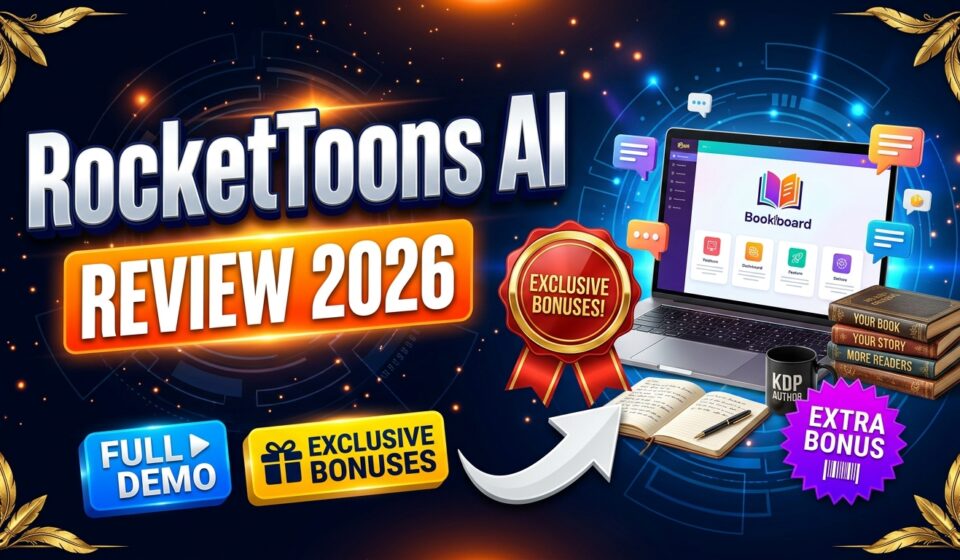
RocketToons AI is built to take much of that work off your hands. In this RocketToons AI review, I will explain what it does, how the demo works, how the credit system really limits what you can create, what the bundle and five upgrades add, and who should consider it.
🔥 Click Here to Get RocketToons AI at a Special Discount →
RocketToons AI Review: Quick Overview
| Product | RocketToons AI |
| Creators | Tim Verdouw and Ankit Mehta |
| Front-end price | $37, one-time payment |
| Coupon | Use code EARLYTOONS for 10% off the front-end |
| Bundle | $317 one-time, or $267 with code TOON50 ($50 off) |
| Refund policy | 30-day money-back guarantee |
| Bonuses | Yes, extra bonus packages from me |
| Vendor support | support.farfetched.io/hc/en-us |
| My support |
What Is RocketToons AI?
RocketToons AI is an AI-powered cartoon animation platform that works like a virtual animation studio. It turns a short idea or a written script into a fully animated cartoon video, handling the story, scenes, character looks, voices, dialogue, music and captions. You do not need animation skills or editing software, and everything runs in your web browser.
Who Created RocketToons AI?
The software comes from Tim Verdouw and Ankit Mehta, who have launched several AI video and marketing tools. Tim’s earlier products include RocketClips AI, RocketVideos AI, Clickly AI and Unfold Video.
RocketToons AI Features: What You Can Do With It
Story and Characters
- Idea to screenplay: Enter a short idea or paste your own script and get organized scenes, dialogue and narration. It supports 11 story formats, and a prompt enhancer can expand a short idea into a fuller story (or keep your own wording intact).
- Consistent characters: Create characters, places and objects with their own visual references, or upload images to guide them. They keep the same look across scenes and episodes.
- Photos to cartoons: Turn pictures of yourself, family, pets or products into cartoon-style characters in one of eight styles.
- Cast library and series building: Save characters, reuse them in later videos, and get three follow-up episode ideas.
- Faith Story format: Helps retell Bible stories faithfully, without adding fictional twists, and keeps content suitable for children.
- Inspiration: 88 ready-made story ideas and 26 occasion presets, such as Christmas, Halloween, Mother’s Day, Diwali and Eid.
Directing and Animating
- Storyboard preview: See each scene as an image with the dialogue, and listen to the narration before any animation is made.
- Full directing control: Edit storylines, camera angles, actions and dialogue, and regenerate only the parts you want to change.
- Storyboard-to-animation: Approved storyboard images become the opening frames of the animated clips, so the result follows the look you chose.
- 8 animation styles: For example, Pixar-inspired 3D, classic 2D, anime, claymation and comic book.
- Camera moves and transitions: Zoom in or out, pan left or right, and nine scene transitions.
- Last six takes saved: Compare versions and restore an earlier one without extra regeneration cost.
Voices, Music and Output
- 40 AI voices and lip-sync in 25 languages, with automatic voice matching by age and gender and the ability to regenerate single lines.
- Background music: Compose original music to match a scene, or pick from 38 library tracks, mixed automatically with the dialogue.
- Captions: Word-by-word highlighted captions in two styles, or none.
- Three aspect ratios: 16:9, 9:16 and 1:1.
- HD MP4 export without watermarks, plus direct publishing to YouTube, Facebook, Instagram and LinkedIn.
How RocketToons AI Credits Really Work
This matters more than any feature on the list. RocketToons AI is credit-based, even though you pay only once.
- The standard plan includes 1,000 credits, which the vendor says is enough for up to about 50 short videos of 15 seconds each. Actual use depends on video length and how often you regenerate.
- The standard version supports films up to 3 minutes and a 50-film limit.
- You see the credit cost before you confirm animating the clips.
- The Elite upgrade removes the 50-film limit and extends films to 15 minutes, but videos still use credits, and it adds 2,500 bonus credits.
- Cloud storage lasts 60 days on the standard plan and 180 days with Elite, so download your videos.
In short, plan your credits carefully, make short test videos first and keep copies of finished cartoons.
🚀 Get RocketToons AI at a Discounted Price →
RocketToons AI Demo: From Idea to Exported Cartoon
Here is the workflow shown in the demo.
- Open the Subjects library. Sign in and click Subjects in the left menu, where recurring characters, places and objects live.
- Create a character. Click New Subject, then add a picture or describe a new character. If you use a photo of a real person, make sure you have their permission.
- Choose a style and draw. Enter a name, pick a look such as Pixar 3D or Classic 2D Cartoon and click Draw.
- Review and save. Check the name and description, use Redraw if needed and click Done.
- Start a video. Click Create in the left menu and keep Director mode on.
- Pick your cast. Select the saved subjects that should appear. A count badge shows what is selected.
- Write your story. Type a clear idea or paste a script, including characters, setting, main actions and the ending you want.
- Choose a format and style. Pick a Skill such as Story, Story with a lesson, Retelling or Faith story, then one animation style for the whole project.
- Set language, ratio and length. Choose the spoken language, 9:16 or 16:9 and a length. Keep your first project short.
- Generate the screenplay. Click the Generate arrow. Then review the screenplay, cast, style, language, length and music.
- Check the storyboard. Read the scene summaries and make sure characters, actions and settings match your story.
- Animate the scenes. Click Generate clips, check the credit cost shown and confirm.
- Add music and finishing touches. Choose a library track or compose one, then adjust transitions, animation and captions.
- Preview and export. Play the cartoon in Canvas or Timeline view, use Regenerate video on any weak scene, then click Export to render and download.
What I Noticed in the Walkthrough
The workflow feels approachable even for someone with no animation background. The standout part is the control you keep: you can see the storyboard, hear the dialogue, edit scenes and regenerate only the pieces you do not like, which makes it feel more like directing than rolling the dice on random AI clips. The prompt enhancer is handy for turning a one-line idea, such as a boy and a little robot who loves flowers, into a scene-by-scene story.
The main trade-off is credits. A few regenerations on a longer video can use up a good share of your allowance, so test with short clips first.
4 Reasons RocketToons AI Is Worth Considering
1. It Handles the Whole Production Pipeline
Writing, character design, animation, voices, music, captions and export all happen in one place, so you do not need to juggle several apps.
2. Characters Stay Consistent
A common weakness of AI video is characters that change from scene to scene. Here, characters have reference images and a cast library, which makes recurring series more realistic.
3. It Suits Several Content Types
Kids’ stories, educational lessons, faith-based videos, animated ads and personalized birthday cartoons are all possible, with 25 languages for lip-synced dialogue.
4. A Commercial License Is Included
The standard license covers selling the videos you create, for example to local businesses or freelance clients. Selling software accounts requires the separate Reseller upgrade.
⭐ Click Here to Get RocketToons AI at the Best Available Price →
RocketToons AI Pricing: Front-End, Bundle and Upgrades
Front-End Price: $37 One-Time
RocketToons AI costs $37 as a one-time payment, with no monthly subscription. It includes the full cartoon studio, 1,000 credits, commercial use of your videos and training. This is an early-bird price that is expected to rise, and your purchase is covered by a 30-day money-back guarantee. Use my code EARLYTOONS for 10% off.
RocketToons AI Bundle Deal: $267 With My Code
The all-in-one bundle includes the commercial package and all five upgrades (Elite, Pro, Studio, Agent and Reseller), plus 6,000 credits, advanced animation tools, AI automation and commercial and reseller rights. It also adds three bundle-only extras (a Founders’ Pass, permanent cloud storage and expanded team access) and four launch bonuses.
The bundle is $317 one-time, and with my code TOON50 you save $50 and pay $267. It comes with a 30-day money-back guarantee. The vendor advertises a large total value, but what matters is whether you will actually use the upgrades. Buy it only if you plan to produce a lot of videos or sell services.
👉 See the RocketToons AI Bundle
RocketToons AI Upgrades Explained
There are five optional upgrades. The $37 front-end works independently.
Upgrade 1: Elite Edition ($47)
Removes the 50-film limit, allows movies up to 15 minutes, adds 2,500 bonus credits and includes publishing, scheduling and analytics tools for several social channels.
Upgrade 2: Pro Edition ($47)
A more powerful video engine, six extra cinematic styles, premium AI voices, full 1080p exports, advanced editing and team collaboration tools.
Upgrade 3: Studio Edition ($37)
Turn simple prompts or photos into standalone videos, extend clips and connect scenes, for ads, social media and other projects.
Upgrade 4: Agent Edition ($37)
Connects RocketToons AI with ChatGPT, Claude and other compatible AI tools, so you can write scripts, design characters, animate scenes and manage publishing through conversation.
Upgrade 5: Reseller Edition ($97 or $197)
Rights to sell RocketToons accounts at your own prices and keep 100% of the revenue, with a client management dashboard. Choose a 25-account package for $97 or a 100-account package for $197.
My advice: Start with the front-end and make a few short cartoons to see how fast your credits go. If you plan longer videos, Elite is the most useful upgrade. Pro improves quality, and Reseller is only for people who want to sell software.

4 Ways to Make Money With RocketToons AI
- Build faceless YouTube cartoon channels. Publish kids’ stories, educational lessons, Bible stories or entertaining series, and explore ads, sponsorships and affiliate promotions as your audience grows.
- Sell cartoon ads to local businesses. Turn product photos and simple ideas into animated promos for restaurants, cafes and online stores.
- Offer custom animation services. Create personalized cartoon stories, birthday videos, educational animations and social content, and sell them on Fiverr, Upwork or your own site.
- Sell accounts with the Reseller upgrade. Offer RocketToons AI accounts to creators and businesses at your own prices.
These are ideas, not promises. Income depends on your niche, content quality, consistency and marketing.
Who Is RocketToons AI Best For?
It is a good fit for:
- Beginners and aspiring animators with no technical skills
- YouTube and faceless content creators
- Digital and affiliate marketers who want cartoon ads
- Small business owners who want animated promos
- Freelancers and agencies selling animation services
- Teachers and educators making animated lessons
- Faith-based and family-friendly content creators
It may not be ideal for:
- Traditional animators who want frame-by-frame control
- Live-action video creators
- Advanced 3D designers who need modeling and rigging tools
Things to Know Before You Buy
- Credits limit your output. The standard plan has 1,000 credits, and every animation uses some.
- Storage is temporary. Videos stay for 60 days on the standard plan, so download what you want to keep.
- Get permission for real people. If you turn photos of people into characters, make sure you have their consent.
- Children’s and religious content needs care. Review scripts for accuracy and suitability, even with the Faith Story format.
- Check platform rules. YouTube, Facebook and other platforms have their own policies on AI-generated content, including labeling.
Pros and Cons
Pros:
- Beginner-friendly with no animation experience needed
- Saves a lot of production time
- All-in-one studio, so less app juggling
- Consistent characters and reusable cast library
- Storyboard preview, scene-by-scene editing and saved takes
- 8 animation styles, 40 voices and lip-sync in 25 languages
- Good for faceless channels and client work
- One-time $37 price with no monthly fee
- 30-day money-back guarantee
Cons:
- Credit-based, so heavy use can need extra capacity
- AI results may need a few revisions to match your vision
- Standard storage lasts only 60 days
RocketToons AI Review: Final Verdict
RocketToons AI is a solid option if you want to create cartoons for entertainment, education or client projects without animation skills. It covers storytelling, characters, voices, music and export in one place, and the storyboard-first workflow gives you real control. Just remember that credits, not the one-time price, set how much you can create, and that results need review. At $37 with a 30-day guarantee, it is a low-risk way to try AI cartoon making.
Frequently Asked Questions
Do I need to install any software? No. It runs in your web browser on Windows or Mac.
Can I use my own scripts? Yes. Paste a complete script and use it as the starting point.
How many videos can I make with the included credits? The standard plan includes 1,000 credits, enough for up to about 50 short 15-second videos. Actual use depends on length and regenerations.
Can I create longer cartoon movies? Yes. The standard version supports films up to 3 minutes, and Elite extends that to 15 minutes.
Does Elite give unlimited video generation? No. It removes the 50-film limit, but each video still uses credits. It adds 2,500 bonus credits.
How long are my videos stored? 60 days on the standard plan and 180 days with Elite.
Can I download and use my videos elsewhere? Yes. You can export watermark-free MP4 videos for websites, social media or client projects.
Can I resell the software? Only with the Reseller upgrade. The standard license covers selling the videos you create.
Are the upgrades required? No. The $37 front-end works on its own.
Is training and support included? Yes, with step-by-step training videos, customer support and a 30-day money-back guarantee.